Multilingual sermon subtitle files (SRT/VTT)
When you interpret a service live, subtitle files (SRT and VTT) for each language are created the moment you stop. No transcribing or translating by hand: upload them to the sermon video on YouTube and viewers abroad can watch it again with subtitles in their language.
What gets created
- Subtitle files: an
.srtand a.vttfor every interpreted language, with the sentences exactly as they were shown. - Interpreted audio (MP3) for the languages people listened to.
- Each session gets its own folder, named with the date and start time, in the LiveTransVoice cloud.
| Kind | Kept for |
|---|---|
| Subtitle files (SRT, VTT) | Kept |
| Audio files (MP3) | 90 days (email notice 7 days before deletion) |
Services interpreted without a listening room (on-screen captions only) are archived the same way. Always press Stop at the end: that is the moment the subtitle files are created.
1. Download the subtitle files
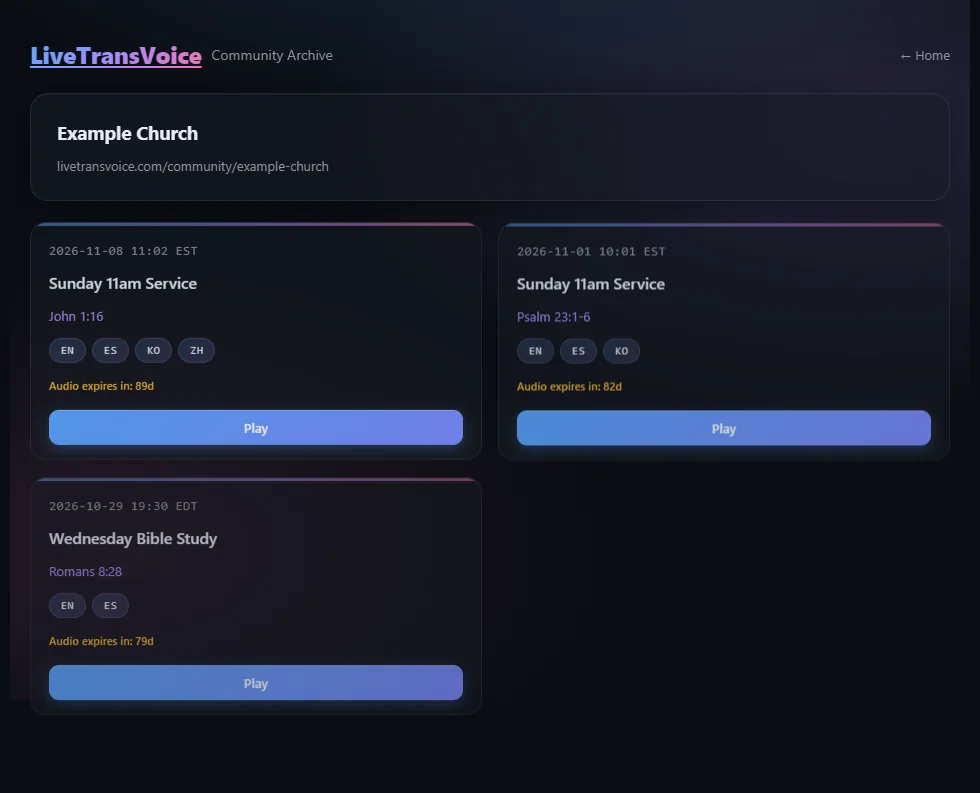
Sermons are collected on your church's archive page, livetransvoice.com/community/your-church.
- In the operator app, go to Account → Church Information and click “Manage in browser”. (Share the 6-character access code from the same screen with your members.)
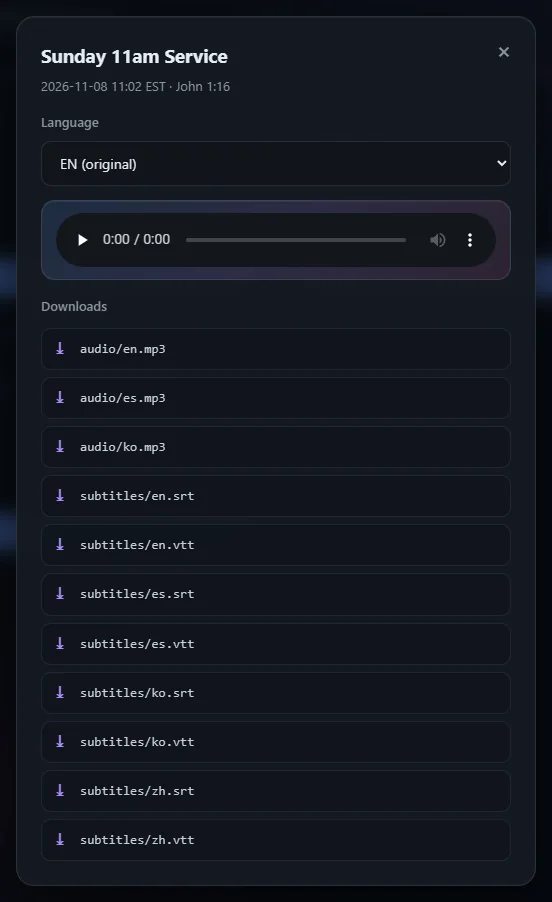
- Pick the sermon and download the language you need from its download list, e.g.
subtitles/en.srtorsubtitles/zh.vtt.
2. Upload the subtitles to YouTube
- In YouTube Studio, open the sermon video and go to Subtitles.
- Click Add language and choose the language (e.g. English).
- Under subtitles choose Upload file, pick “with timing”, and select
en.srt. - Check the timing in the preview and publish. Repeat for the other languages.
Subtitle times count from the moment you pressed Start as 0:00. If your uploaded video starts earlier or later than that, the subtitles will be shifted. Start recording and interpretation together, or trim the video to match.
SRT works on YouTube, Facebook and most video sites; VTT is common for web players and Vimeo. YouTube accepts both.
3. Share with your members and other churches
- Church archive page: only people with the 6-character access code can replay past sermons and see the subtitles.
- Community: share selected sermons and they appear in the public feed at livetransvoice.com/community.
- From “Manage in browser”, the operator can publish or delete sermons.
Saving from the app directly
Separately from the archive page, the operator app can export the translation so far as a text file or save it right away, which is handy for tidying a sermon manuscript or translating the bulletin. Timed subtitle files (SRT, VTT) come from the archive page.
Common questions
How many languages get subtitle files?
Every language interpreted in that service; up to 10 languages can run at once.
Can I edit the subtitles?
SRT and VTT are plain text, so you can fix them in a text or subtitle editor before uploading. YouTube Studio also lets you edit uploaded subtitles.
Who can see the archived files?
The church archive page needs the 6-character access code. Only sermons the operator shares to the community are public.
Try it this Sunday
Install it on a Windows PC and request a license to begin. Listeners do not need to install anything.
Request a license · Download